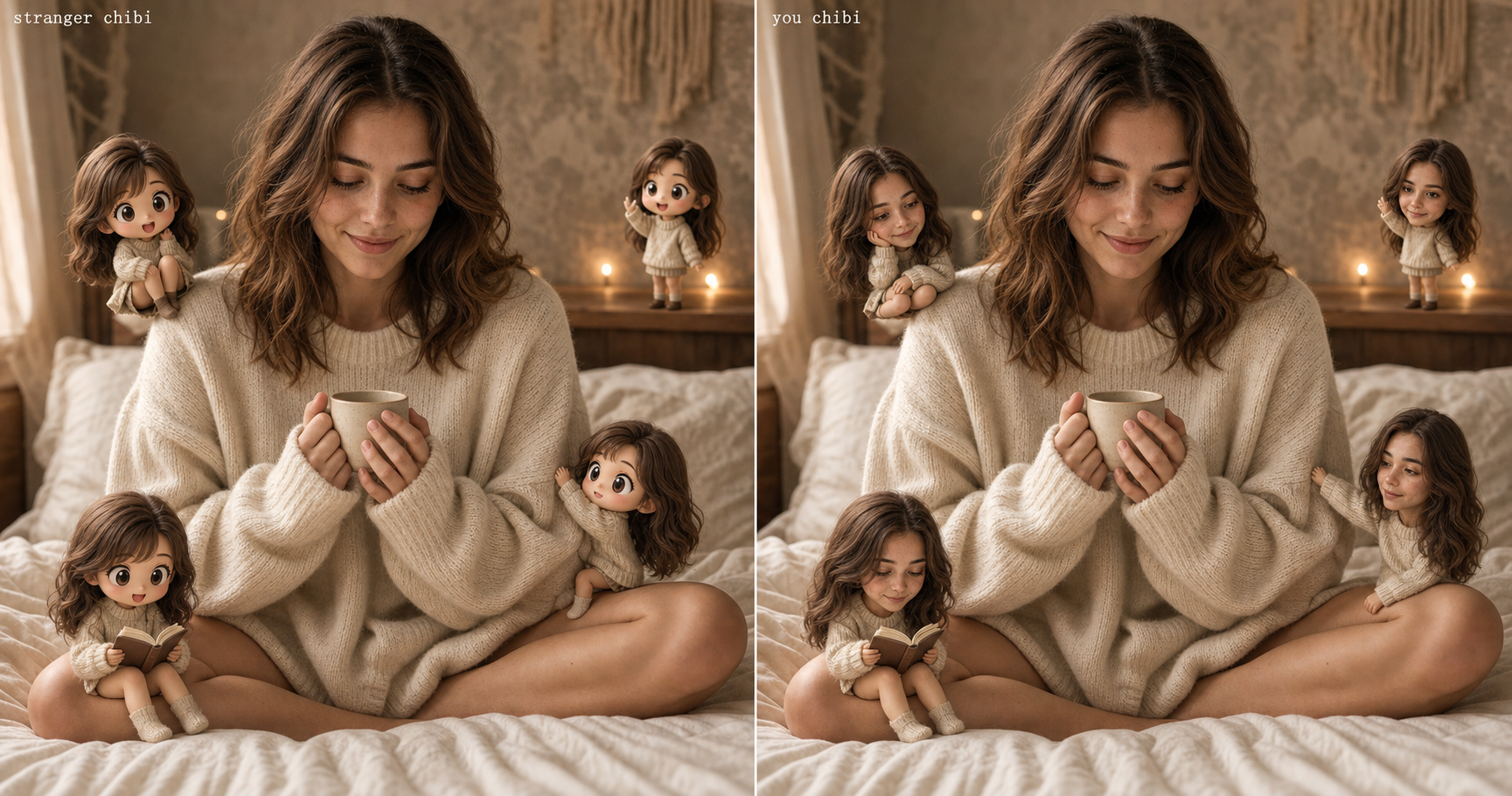
So I ran the chibi mini-me trend last Tuesday. Uploaded the selfie, pasted the prompt everyone’s reposting, waited. The base photo came back fine. The four tiny chibis perched around my shoulder were adorable. They were also somebody else. Same hair color, wrong face. Wrong nose, wrong jaw, wrong eyes. Four little strangers, all confidently pretending to be me.
Here’s why that happens, and the prompt that fixes it: most viral chibi mini-me prompts only lock identity on the base selfie. The four tiny chibis get a “make them cute and chibi” instruction with nothing pinning them to your actual face, so the model reaches for the average chibi face it’s seen fifty thousand times. The fix is one clause: tell the AI to preserve your face on every chibi, not just on you. The rest of this piece is that prompt, what it looks like when it lands, and where to crop it for IG, Reels, TikTok, and Pinterest.
What the chibi mini-me trend actually is
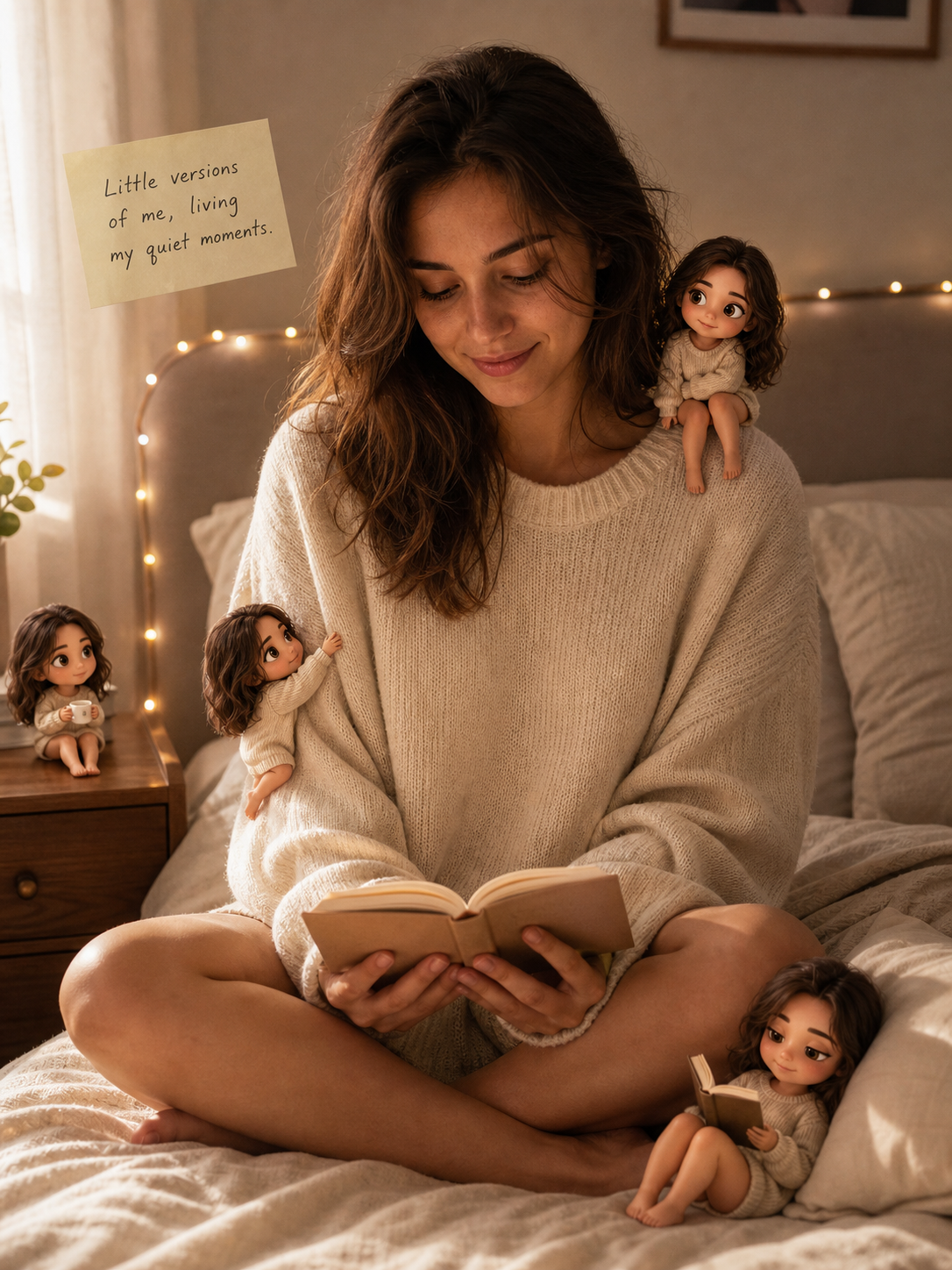
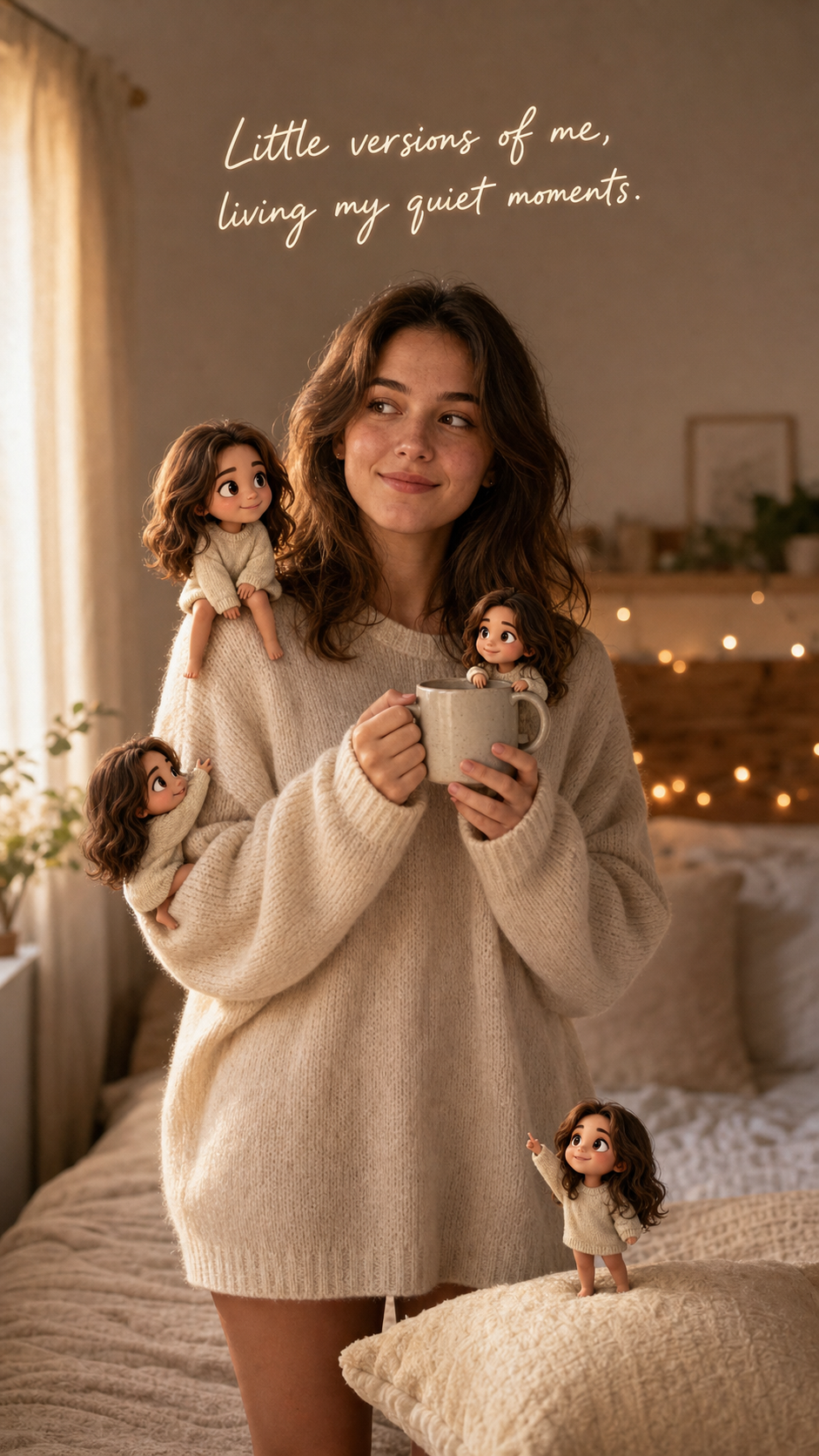
If you’ve opened Instagram in 2026, you’ve probably scrolled past one. The chibi mini-me effect is the one where someone’s normal selfie stays exactly as it was, same face, same lighting, same outfit, and then four or five tiny 3D chibi versions of them are perched around the frame, doing small things. One on the shoulder. One climbing the sleeve. One on the coffee mug. One curled up reading a tiny book.
It started circulating heavier on IG and TikTok in early 2026. The figurine and “tiny version of me” aesthetic family has been around longer; this particular four-chibi-around-the-selfie composition is the 2026 version. It’s living mostly as a profile-pic move and as a Reel transition, and the surprise is that your actual selfie is still there, untouched, while the chibis join the scene like little roommates.
That’s the part most takes miss. This is not a one-off filter post. It’s profile-pic real estate. Once the chibis read as you, that’s the photo people see every time they tap your name. Which is exactly why it’s worth getting right. Once it works, it’s a profile pic, not a fleeting Story.
Why your chibi looks like a stranger
You know that feeling when an AI image comes back almost-but-not-quite right and you can’t immediately name what’s off? That’s this trend’s signature failure. Your face on the base photo: yours. The chibis: someone with your sweater and your hair color and a face that lives in a different head. Almost always the same generic chibi face. Slightly button nose, slightly round wide eyes, slightly soft jaw. The exact average of every chibi the model has ever seen.
Here’s the mechanism. The viral prompts circulating mostly hand the AI two instructions: keep the base photo the way it is, and add tiny chibi versions around it. That second instruction is the problem. “Chibi” is a style word, not an identity. So the model dutifully renders four chibi-style figures, treating chibi as the whole brief and ignoring the part where they’re supposed to be tiny versions of you specifically. By the time it gets to the third or fourth tiny figure, the model has fully drifted into “generic cute chibi” mode and your face is gone.
Identity drift is the same failure pattern that makes most AI portraits look almost-but-not-quite like you on the longer prompts. The model loses you somewhere between sentence three and sentence five. Here the loss happens four times in one image, once per chibi.
So the fix isn’t a better model. The fix is a prompt that locks the identity on every chibi, not just on you.
The prompt that locks the chibi to your face
Upload one clear half-body or full-body selfie first, then paste the block below into ChatGPT (or Claude, Gemini, or any AI image tool) and swap the {CAPTION} line for whatever short line you want floating near you in the shot.
View & copy the full promptpaste-ready · ~2,200 chars
**Generate this image:**

A single 1:1 square photoreal image that keeps the uploaded reference photo of the person unchanged as the base — same framing, same lighting, same composition, same face exactly. Around them, add several small "chibi 3D" miniature versions of the SAME person (preserve their face, hair color and texture, and skin tone so every chibi reads as clearly the same person, just tiny and stylized), each chibi about the size of a coffee cup, scattered around the frame in believable interactions with the scene: one sitting on the person's shoulder, one climbing up their sleeve, one perched on a nearby surface holding a tiny coffee, one lounging against an object reading a tiny book. Each chibi has soft Pixar-style 3D rendering with big expressive eyes and a friendly cozy expression. Realistic shadows and depth so the chibis feel physically present in the same lighting as the base photo, not pasted on. Add one small handwritten note floating gently near the person, exactly the text {CAPTION} written in soft script — keep it short, English Latin script only, no Lorem Ipsum, no gibberish. Overall mood is cinematic, cozy, slightly dreamy, viral-IG aesthetic. Single 1:1 square photoreal image with chibi mini-me effect, identity-locked base + identity-locked chibis.

**Rules the AI must follow:**
- Aspect ratio 1:1 square — strict, locked at the start and the end of the prompt (works for IG profile crop + Pinterest re-crop)
- Identity preservation is the highest-priority constraint — match the uploaded reference photo's face, eye shape and color, nose, lip shape, hair, and skin tone exactly for BOTH the base person AND every chibi mini-version; do not invent a different person, do not drift in hair color or face shape across the chibis
- Base photo of the person stays unchanged — same framing, same lighting, same pose, same face; only ADD chibis around them, do not restyle the base photo itself
- Realistic skin and shadow texture required — visible pores and natural micro-detail on the base person; chibis cast believable shadows that match the base photo's light direction; no AI-plastic surface on either
- Render the {CAPTION} text exactly as specified, all spelled correctly, in English Latin script — no Lorem Ipsum, no garbled letters, no extra captions, no watermarks, no logos
- Single image output — one 1:1 photoreal image, no before/after split, no character sheet, no separate chibi grid alongside
- Output the image directly without explaining the prompt back
- All text in English Latin script

**Replace these placeholders with your details:**
- ⚠️ **REQUIRED — upload before pasting**: a clear photo of yourself (preferably half-body or full-body with some space around you for the chibis to live in) — this is the face the AI will preserve on you AND on every tiny chibi version of you
- {CAPTION} = Little versions of me, living my quiet moments (or pick a short line — see swaps in the cheat-sheet below)
Two lines in that block do most of the work. The first is the identity rule: “match the uploaded reference photo’s face, eye shape and color, nose, lip shape, hair, and skin tone exactly for BOTH the base person AND every chibi mini-version”. Notice the BOTH. That’s the clause the viral repost versions tend to drop. Without it the model identity-locks once and then forgets four times.
The second is the base-photo rule: “Base photo of the person stays unchanged, same framing, same lighting, same pose, same face; only ADD chibis around them, do not restyle the base photo itself”. This is the sneakier one. When you ask the AI to composite chibis into your selfie, the model’s default move is to “improve” the base. Soften your skin. Re-light it. Restyle your sweater to match the chibi palette. The result looks Pixar-y instead of photoreal, and the joke of the trend collapses (the joke is real you with chibi them). The rule pins your selfie down.
One paste-ready AI move a week. The kind you can use on a Tuesday or a Sunday. Subscribe to the newsletter.
That’s the whole prompt. The rest of this article is what it looks like when it lands, and the three ways it still sometimes drifts.
Five tiny-me looks the same idea unlocks
Once the chibi mini-me lands, the same “tiny version of me in a real scene” idea unlocks a small family of follow-ups. None of these are inside the chibi prompt itself. They’re cousins. Different prompts, same aesthetic register, all riding the screenshot-worthy “wait, that’s tiny you” reaction.
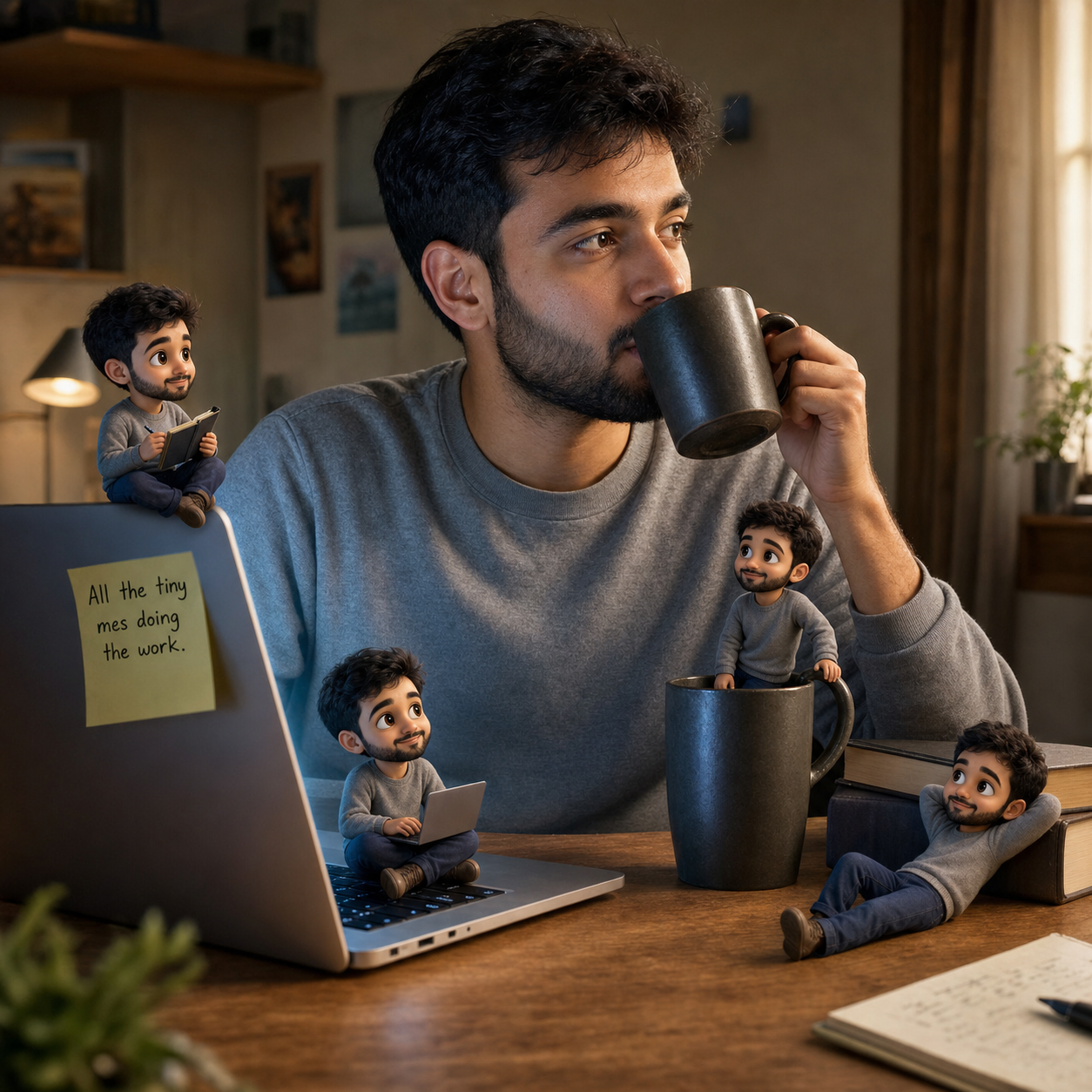
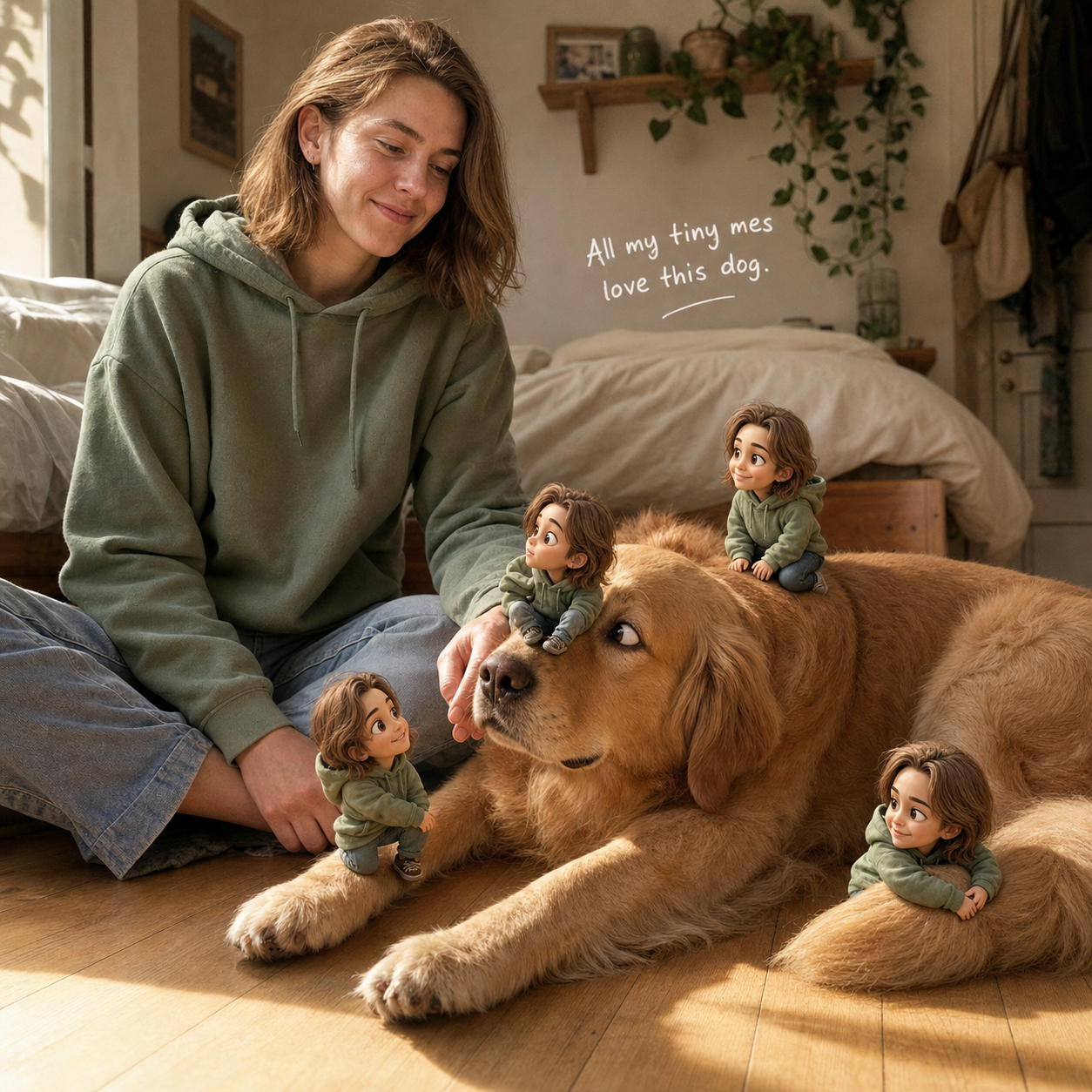
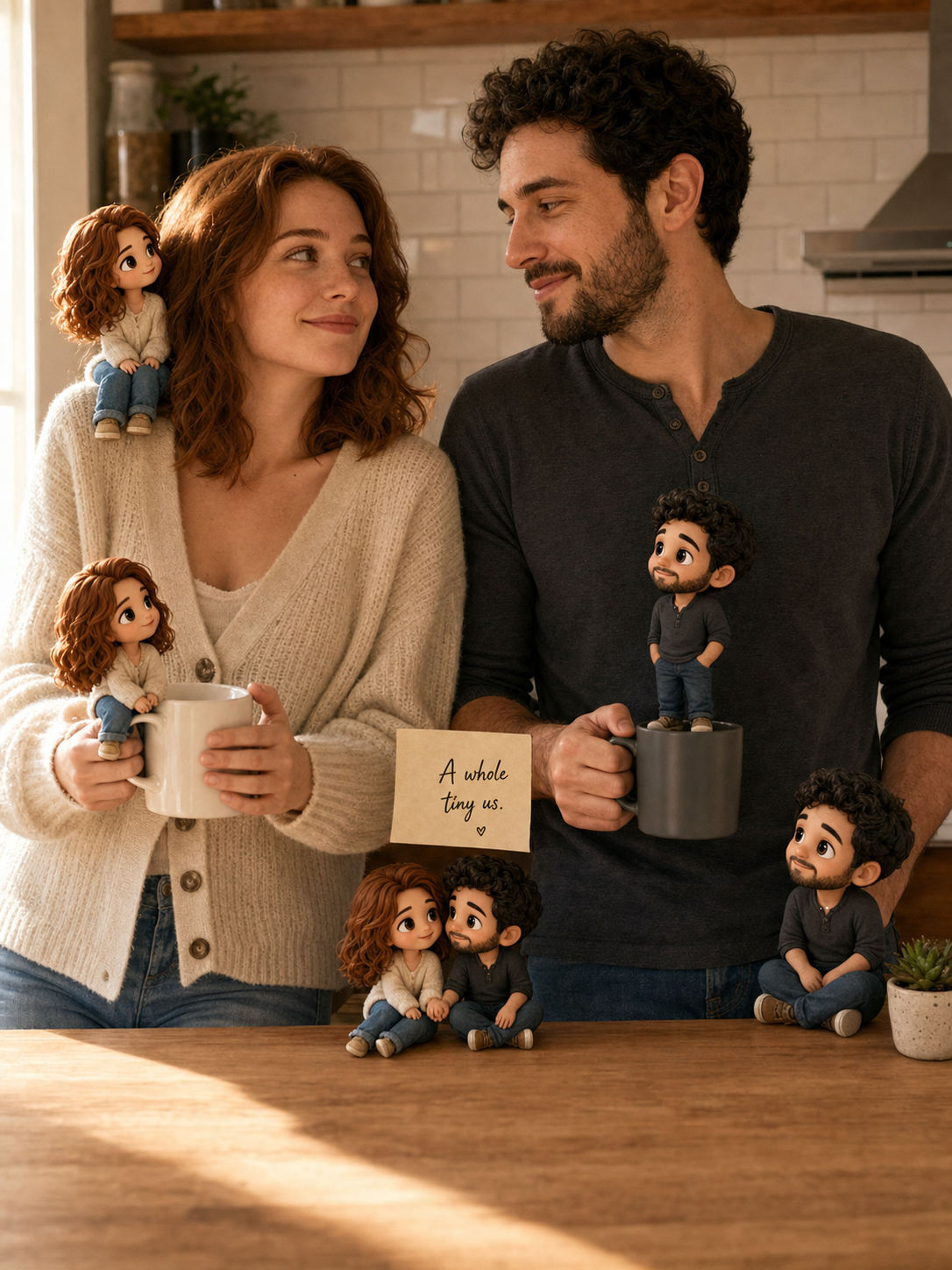
If you want the chibi prompt above plus the rest of the social-media glow-up library, paste-ready, identity-locked across every variation, tested on real selfies, they all live in the Image Prompt Pack. One of the Instagram profile-pic prompts in the pack is the chibi mini-me block you just read. The rest of the pack covers the other social-media jobs a normal week asks of you.
Pick one when this one stops feeling fresh; for now, post the chibi.
Where to post it (and what crop to use)
The chibi prompt defaults to 1:1 square because that’s how Instagram crops a profile pic. Same square also re-pins clean to Pinterest. For Reels, TikTok, and Stories you want 9:16 vertical; for a LinkedIn or X header you want 16:9; for a tall Pinterest pin you want 2:3.
| Where you post | Ratio | What to change in the prompt |
|---|---|---|
| IG profile pic, Pinterest square pin | 1:1 | Leave as-is. 1:1 is the default; works for IG profile crop and Pinterest re-pin |
| Reels, TikTok, IG Stories | 9:16 | Swap “1:1 square” for “9:16 vertical” in two places: the opening prose AND the aspect-ratio rule bullet |
| LinkedIn cover, X banner | 16:9 | Swap to “16:9 horizontal” in the same two places; widen the scene description to include more side space |
| Pinterest tall pin | 2:3 | Swap to “2:3 portrait” in the same two places (Pinterest re-pins this format heaviest) |
The thing nobody tells you: the aspect ratio sits in two places in the prompt. Once in the opening prose (“A single 1:1 square photoreal image…”) and once in the rules bullet (“Aspect ratio 1:1 square, strict, locked at the start and the end of the prompt”). If you swap only one and not the other, the model keeps the old ratio. Two places. Five-second find-and-replace.
For caption, keep it under about six words and English-only. The further you push, the more the AI starts inventing letters. Pinterest’s official product specs document the 2:3 tall-pin format; Instagram’s official Reels page ships in 9:16 vertical. Both are platform-standard, neither is mysterious. The work is in the prompt, not the platform.
Same prompt, four ratios, four surfaces. That’s the whole reuse story.
Common ways it still goes wrong (and the one-line fix for each)
Three things go wrong often enough to name. None of them are the model’s fault; all three are the prompt drifting at the edges.
Your caption comes out garbled
This is the one that happens on the first try for almost everyone. The handwritten note near you reads “Liffle ferziens of me” or something equally Lorem-Ipsum-shaped. Sometimes the AI writes the caption correctly and invents a second caption nobody asked for, scrawled across the corner.
Fix. Keep your {CAPTION} under about six words and English Latin script only. The prompt already forbids extra captions, watermarks, and gibberish, but the longer the caption gets, the more the model loses its grip on individual letters. The five cozy / hustle / funny defaults in the cheat sheet above all render cleanly because they’re short.
Only one chibi gets your face
You get the image back. The chibi on your shoulder is unmistakably you. The other three are three different cute strangers. This is the failure mode this whole article exists around. The model identity-locked once and then drifted.
Fix. Make sure the identity rule line in the prompt says every chibi, not just the base: “match the uploaded reference photo’s face, eye shape and color, nose, lip shape, hair, and skin tone exactly for BOTH the base person AND every chibi mini-version; do not invent a different person, do not drift in hair color or face shape across the chibis”. That last clause is doing the load-bearing work. If you got the prompt from a viral repost and that line isn’t there, paste it back in.
Your base selfie comes back restyled
The chibis look right. Your selfie looks like a Pixar version of you. Slightly bigger eyes, slightly smoother skin, the sweater texture cleaner than it was in the original. The joke of the trend (real you, chibi them) is gone.
Fix. The “Base photo of the person stays unchanged” rule has to stay in the prompt. When the AI is asked to add stylized elements (the chibis) to a photoreal subject (you), its default is to “harmonize” the styles. Harmonizing means pulling you toward the chibis, not the other way around. The pose rule, the lighting rule, and the “only ADD chibis around them” clause are what stop that.
Three fixes, all in the prompt already. You just have to leave them in.
FAQ
Q: What is the chibi mini-me trend on Instagram?
A: It’s the viral 2026 image format where someone’s normal selfie stays untouched and four or five tiny 3D chibi versions of them appear around the frame, perched on a shoulder, climbing a sleeve, sitting on a coffee mug, reading a tiny book. The joke is that the real photo of you is still there, photoreal, and the chibis are joining the scene like roommates. People are mostly using it as a profile pic and as a Reel transition.
Q: How do I make my AI chibi version actually look like me?
A: Make sure the prompt applies identity-lock to BOTH the base photo AND every chibi mini-version, not just to you. Most viral repost prompts only lock the base photo, so the chibis drift into a generic chibi face. The exact rule line you want in the prompt is: “match the uploaded reference photo’s face, eye shape and color, nose, lip shape, hair, and skin tone exactly for BOTH the base person AND every chibi mini-version.” That single clause is what carries the effect.
Q: What’s the prompt for the tiny 3D versions of yourself trend?
A: The full paste-ready block is in the section above. It tells the AI to keep your uploaded photo unchanged as the base, add several chibi-3D versions of you around the frame in believable interactions (sitting on a shoulder, climbing a sleeve, perched on a surface), lock identity on every chibi, render realistic shadows so they ground in the same light as you, and add one short handwritten note. The only thing you swap is the {CAPTION} line and (if you’re not posting to IG profile) the aspect ratio in two places.
Q: Why does my chibi look Pixar but my real photo also got restyled?
A: When you ask the AI to composite stylized elements into a photoreal subject, its default move is to “harmonize” both, meaning it pulls your real photo toward the chibis’ style. The prompt fixes this with a hard rule: “Base photo of the person stays unchanged. Same framing, same lighting, same pose, same face; only ADD chibis around them, do not restyle the base photo itself.” If you dropped that line from a viral repost, paste it back in.
Q: What aspect ratio should I use for IG, Reels, TikTok, and Pinterest?
A: IG profile and Pinterest square pin = 1:1 (the default). Reels, TikTok, and IG Stories = 9:16. LinkedIn or X banner = 16:9. Pinterest tall pin = 2:3. To swap, change the aspect ratio in TWO places in the prompt: the opening prose line (“A single 1:1 square photoreal image…”) and the rules bullet (“Aspect ratio 1:1 square, strict, locked at the start and the end of the prompt”). Forgetting either is the most common reason the AI ignores the swap.
Key Takeaways
- The chibi mini-me trend fails because most viral prompts lock identity only on the base photo, so the four tiny chibis drift into a generic chibi face. The fix is one clause that applies identity-lock to BOTH the base AND every chibi.
- The base-photo-stays-unchanged rule is the other load-bearing line; without it the AI pulls your real selfie into a Pixar look to “harmonize” with the chibis, and the joke of the trend collapses.
- The prompt defaults to 1:1 square (IG profile, Pinterest square). For 9:16 Reels/TikTok, 2:3 Pinterest tall, or 16:9 banner, swap the aspect ratio in two places, opening prose and rules bullet, or the model keeps the old crop.
- Keep your handwritten caption under about six words and English-only; longer captions are where AI image models start inventing letters.
- The defensible bar for “it worked” is three friends DM-ing “wait, how” within 48 hours of posting. Not “go viral.” Three real friends, real DMs, two days.
What you’re really posting
The chibi that looks like you is the one that gets the DM. The one that looks like a stranger in your sweater gets a polite like and scrolled past.
Three DMs in 48 hours is the whole bar. Clear it once and the prompt becomes yours.